
Introducing nsKnox Connect
Integrating nsKnox with Coupa for enhanced SIM and payment verification
nsKnox Connect is a SIM verification tool created by SCP to help Coupa clients validate supplier bank account details, thereby ensuring:
Secure and stable connection
End-to-end fraud prevention
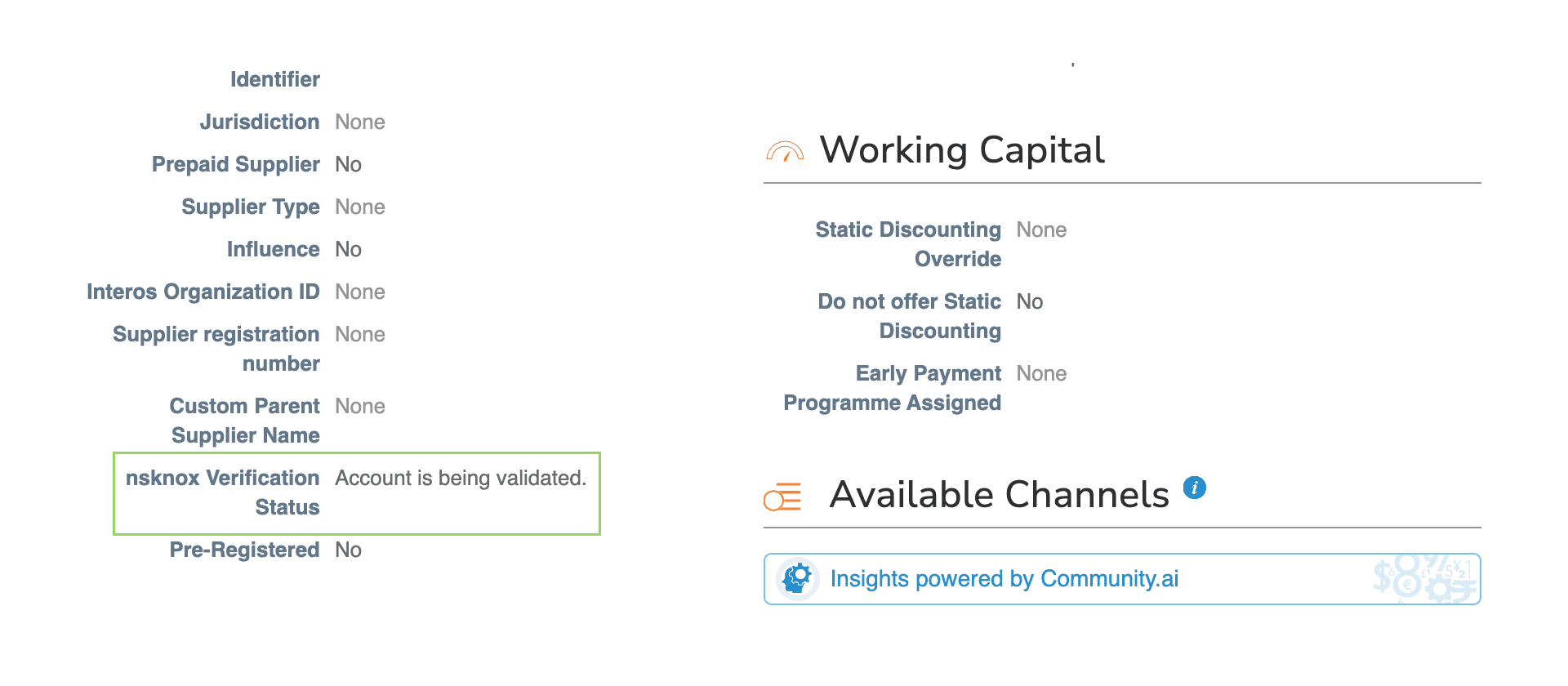
Your supplier information management (SIM) process is the start, but with nsKnox Connect built into Coupa you get the end-to-end fraud prevention reassurance that comes with one of the most secure, anti-fraud solutions available with bank account validation data fed straight to your Coupa supplier record.
Verify with certainty
Put nsKnox Connect first
By installing nsKnox Connect to work as the first step in your Coupa SIM approval chain, your Remit to Address (RTA) validation process is significantly enhanced.
nsKnox Connect interfaces seamlessly with your Coupa environment while nsKnox gets to work to validate your entry. No more cross referencing of details and hoping for the best – nsKnox brings certainty to SIM verification.
Step-by-step integration
How nsKnox Connect works
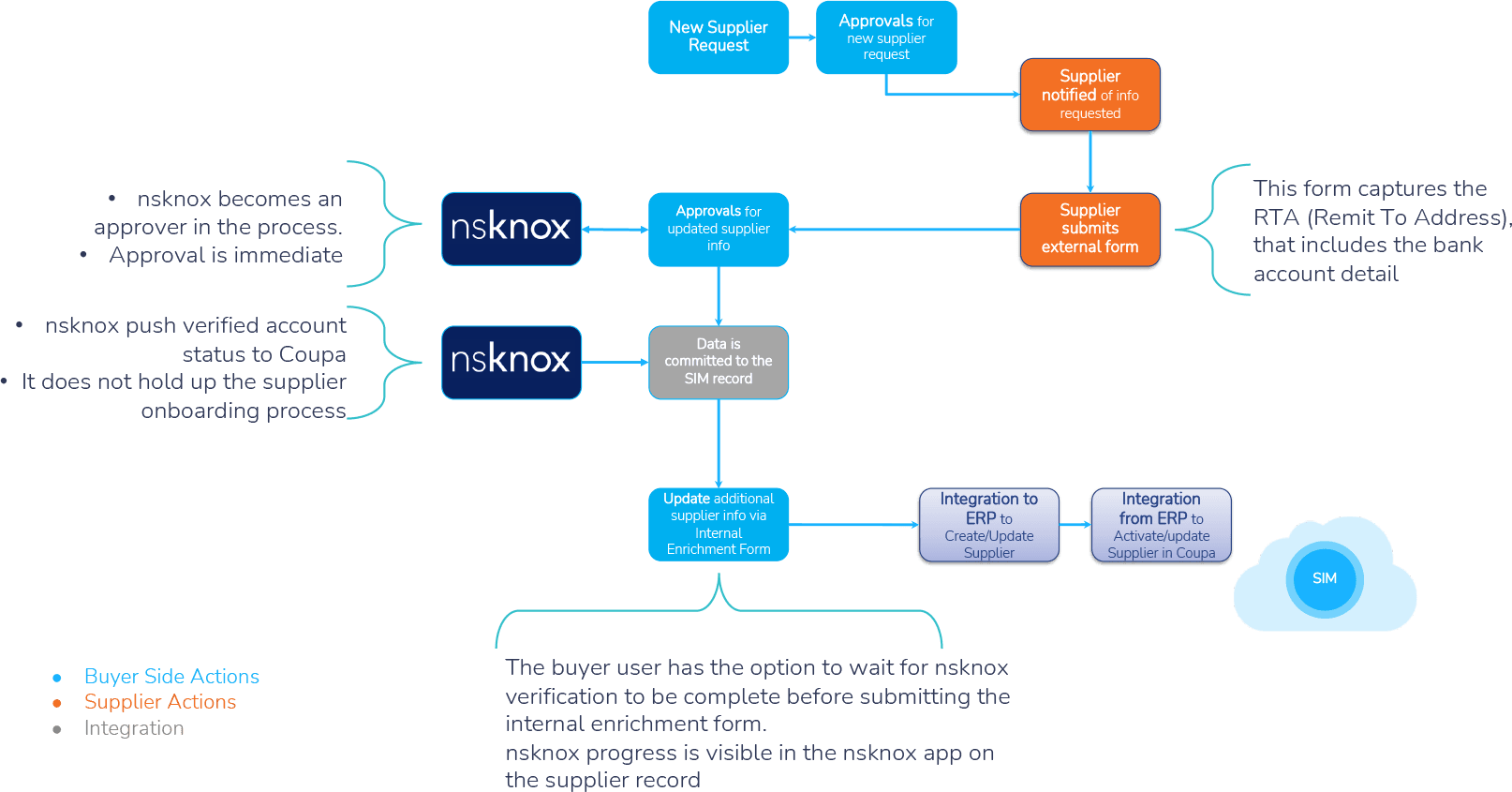
SCP’s nsKnox Connect facilitates smooth and seamless integration of nsKnox’s bank account verification into your Coupa environment.
With nsKnox Connect, nsKnox becomes an approver in the SIM process.
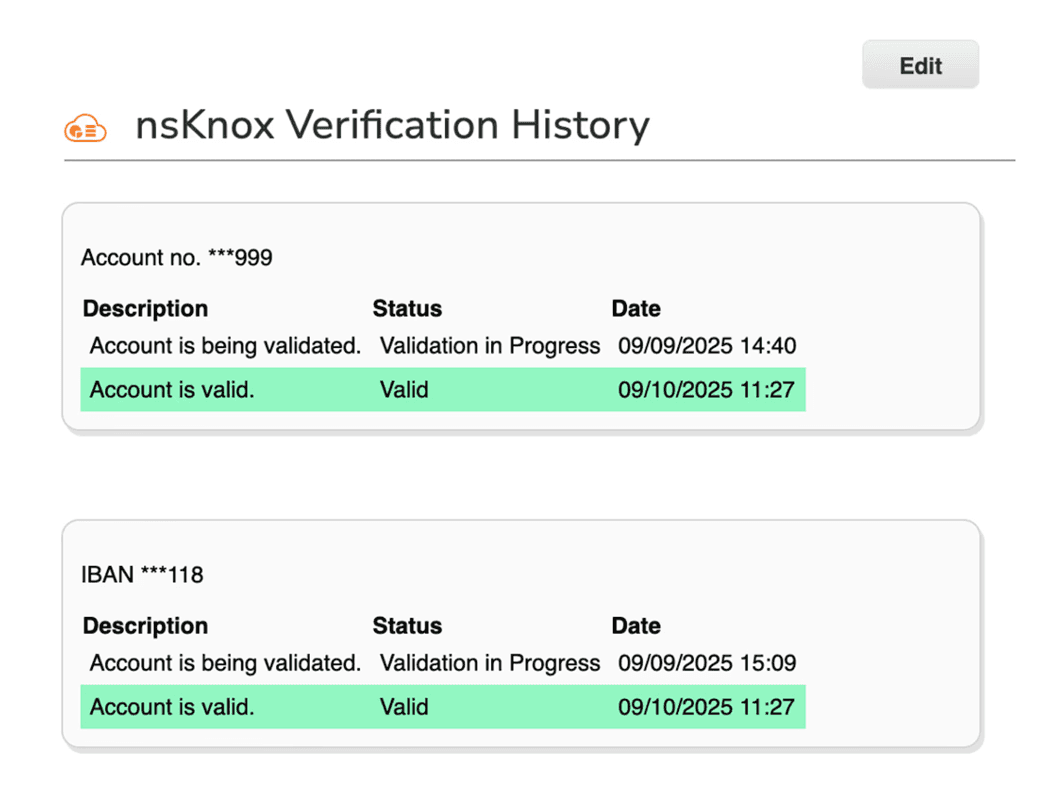
During the SIM intake process, nsKnox Connect will facilitate supplier registration with nsKnox, keeping you informed of bank detail validation progress via a feedback window on the supplier’s record in Coupa.
1. Buyer side
New supplier identified
2. Buyer side
Internal request to add supplier
3. Supplier side
Supplier notified of request for information
4. Supplier side
Supplier submits external Coupa form, including bank details, via RTA (Remit to Address).
5. Buyer side
Supplier information verification begins
6. nsKnox Connect
nsKnox Connect submits bank details to nsKnox for verification.
7. nsKnox Connect
nsKnox pushes account status to Coupa via nsKnox Connect. No delay in supplier onboarding process.
8. Buyer side
Supplier data committed to the SIM database, including nsKnox response.
9. Buyer side
Additional supplier data added to record as required.
10. Buyer side
Integration into ERP to create / update supplier.
11. Buyer side
Integration from ERP to activate / update supplier in Coupa.
Made to match your system
Enable your SIM intake form to include nsKnox Connect
nsKnox Connect is designed to integrate seamlessly into your supplier intake process, added as a simple step in an existing approval flow on your SIM forms
Your implementation partner will take you through a guided installation process to ensure nsKnox Connect is setup to provide you with the data and verification you need.
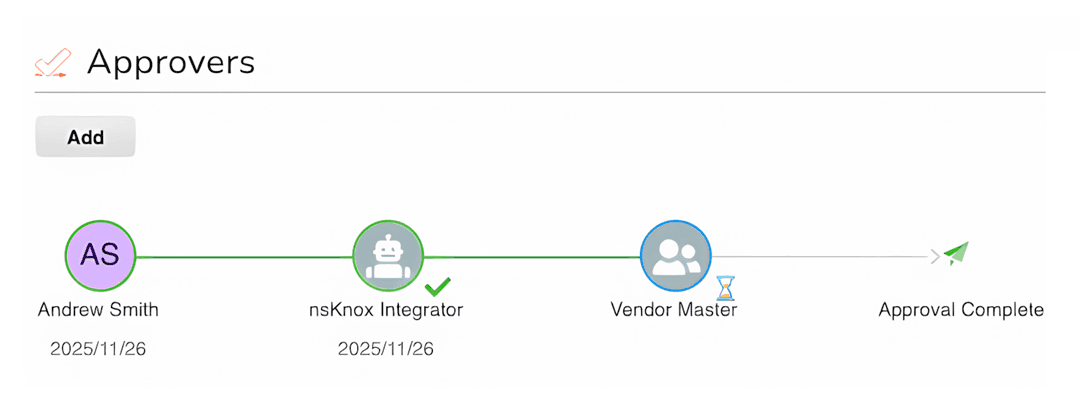
Questions you’ll be asked during installation include:
We are your solution partner
Trust SCP to deliver innovation that works
SCP has over a decade of global procurement solution implementation experience across a wide range of industries, as well as an established product development track record.
Our objective is always to deliver peak procurement performance™ for our clients. We do this by fully understanding the objectives, defining the problems and building solutions that work.

contact us
We can help
Get in touch
Reach out today. Let's collaborate, innovate, and redefine what's possible with Unio.
Address
North America
Info.US@scp-worldwide.com
UK and Europe
Info.EU@scp-worldwide.com
Middle East
Info.UAE@scp-worldwide.com